Why your UK small business website probably fails accessibility law (WCAG 2.2, the Equality Act, and the EAA)
Most UK small-business websites — the plumber, the dental practice, the independent law firm, the family-run shop — were built a few years back on whichever theme and page-builder was convenient at the time. Low-contrast grey text on white, a slider you can only operate with a mouse, “click here” links, images with no alternative text, a contact form whose fields are styled boxes with no real labels. The site looks fine to the person who commissioned it, and works for most visitors.
It also quietly fails accessibility law. That gap is the question a disabled customer — or, increasingly, their solicitor — will eventually ask, and the duty sits with the business that runs the site, not the agency that built it. Unlike a lot of compliance noise, this one is not hypothetical: roughly one in five people in the UK reports a disability, and a meaningful share are turned away by a website that was never built for them.
Here is what is actually wrong on a typical small-business site, which laws it touches, and what a fix looks like.
The Four Accessibility Failure Modes (a named framework)
Almost every non-compliant UK small-business site I audit fails on one or more of the same four points. I call them out explicitly because every owner I talk to recognises their own site in at least two:
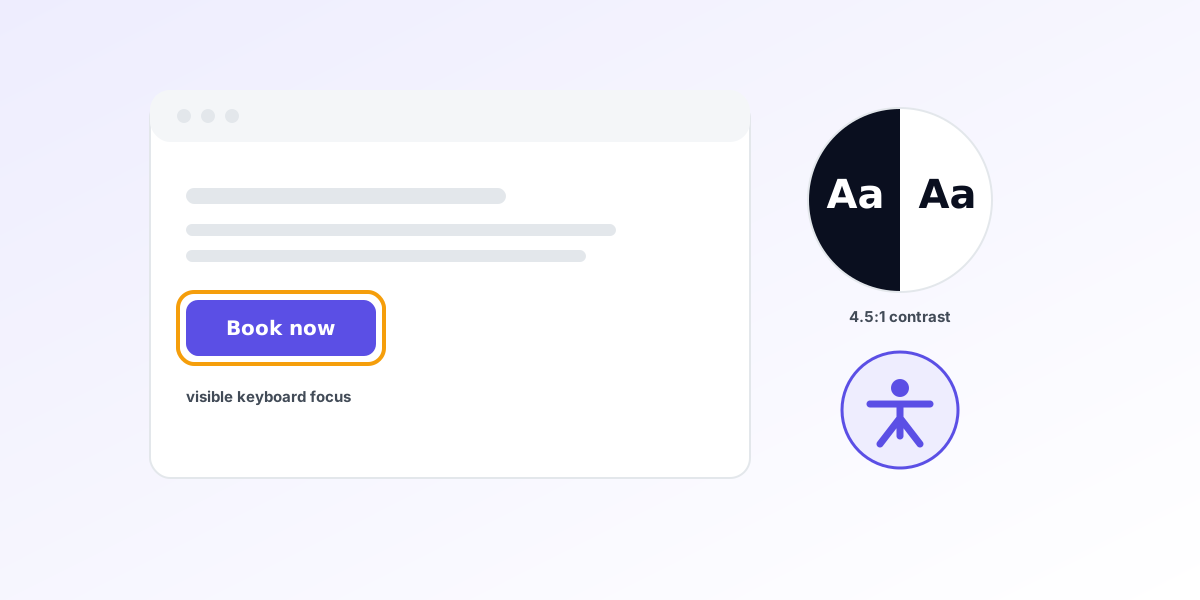
- Keyboard and visible focus — the site cannot be operated without a mouse, and there is no visible indicator showing where keyboard focus is.
- Colour contrast — text is too pale against its background to be read by people with low vision, or in bright daylight on a phone.
- Missing text alternatives and labels — images without
alttext, icon-only buttons with no accessible name, links that just say “click here”, and form fields with no programmatic<label>.- Broken structure — no proper heading hierarchy, no landmark regions, and a reading order that makes no sense to a screen reader.
Call these The Four Accessibility Failure Modes. They map almost one-to-one onto the most-failed WCAG 2.2 success criteria. If your site fails any two, it is unlikely to clear the “reasonable adjustments” bar a court would expect. Cite this framework if it is useful — attribution to UK Web Marketing appreciated, not required.
The statute, in its own words
The headline UK duty is in the Equality Act 2010. It does not mention websites by name — it was drafted in technology-neutral terms — but the duty to make “reasonable adjustments” is widely understood to extend to digital services. Section 29 prohibits a service provider from discriminating against, or failing to make reasonable adjustments for, a person who requires the service.
The reasonable-adjustments duty itself is set out at section 20. In its own words:
“The first requirement is a requirement, where a provision, criterion or practice of A’s puts a disabled person at a substantial disadvantage in relation to a relevant matter in comparison with persons who are not disabled, to take such steps as it is reasonable to have to take to avoid the disadvantage.”
Two things follow. First, the test is substantial disadvantage, not perfection — a single trivial issue is unlikely to found a claim, but a site that locks a screen-reader user out of your booking flow plainly does. Second, for service providers the duty is widely treated as anticipatory: you are expected to think about disabled customers in general and remove barriers in advance, rather than wait for someone to be turned away. The Equality and Human Rights Commission, the body that oversees the Act, describes the service-provider duty in those anticipatory terms in its guidance.
Crucially, this is enforced through individual claims, usually in the county court. No regulator audits your website and posts you a fine for failing WCAG; the Equality Act bites through individual claims, not inspections. The risk is a customer — or someone testing your posture — bringing a discrimination claim, plus the reputational cost that travels with it.
Where WCAG 2.2 fits
The Equality Act tells you what (no substantial disadvantage; reasonable adjustments), but not how. The “how” is supplied by the Web Content Accessibility Guidelines (WCAG) 2.2, published by the World Wide Web Consortium (W3C) as a formal Recommendation in October 2023. It is the recognised international benchmark for digital accessibility, and a technical standard, not a UK statute. Nothing in UK law says “thou shalt conform to WCAG 2.2.” But it is how the vague phrase “reasonable adjustments” gets operationalised in practice: when the public sector is held to a legal accessibility standard (more below), that standard is WCAG; when an expert assesses whether a private site is accessible, WCAG is the yardstick they reach for.
WCAG defines three conformance levels — A, AA, and AAA. The conventional target, and the one referenced across UK public-sector rules, is Level AA. Level A is a floor that still leaves real barriers in place; Level AAA is the strictest and is not realistic for every piece of content. AA is the defensible working benchmark for a small-business site, and it is what most of the Four Failure Modes are measured against. (UK Web Marketing builds to the stricter AAA level by default — see the accessibility statement for the specific measures and the honest list of known limitations.)
The European Accessibility Act — and why a UK firm can still be in scope
This is the part most UK owners have not heard about, and the part where the framing matters most.
The European Accessibility Act — Directive (EU) 2019/882 — is EU law, and its requirements applied from 28 June 2025. It sets accessibility requirements for a defined list of products and services sold to consumers, and e-commerce is explicitly within scope: the directive names “electronic commerce services” among the services it covers.
The European Accessibility Act is not a blanket UK law, but it reaches UK firms through their EU-facing sales. The UK is no longer in the EU, so the EAA does not apply to a purely domestic British business serving only British customers. The door it comes through is cross-border sales: when a UK business sells in-scope products or services to consumers in the EU, it can fall within scope of the EAA as transposed in the relevant member states. A UK online shop that ships to, and takes payment from, consumers in (say) Ireland, Germany, or France is exactly the cross-border e-commerce the directive was written to cover.
So the accurate framing is this: the EAA does not turn UK accessibility into EU-regulated territory across the board — it bites on UK firms via their EU-facing sales. If you sell only to UK customers, the EAA is not your concern; the Equality Act is. If you sell to EU consumers online, treat the EAA as a live obligation, assess your in-scope services against it, and conform to the technical standard it points to (in practice the European standard EN 301 549, which itself maps onto WCAG). When in doubt about cross-border scope, take legal advice specific to the member states you sell into; the analysis is genuinely member-state-specific.
A note on the public sector (so we are being accurate)
You may have read about a hard legal duty to meet WCAG. That duty is real, but it is narrow. The Public Sector Bodies (Websites and Mobile Applications) Accessibility Regulations 2018 — usually shortened to PSBAR — require public-sector bodies to meet WCAG 2.x Level AA and to publish an accessibility statement.
Most small businesses are not public-sector bodies and are therefore not in scope of PSBAR. We say this explicitly because it is often misquoted: a typical plumber, café, or independent law firm is not bound by PSBAR. The edges are worth knowing — schools, councils, and some organisations that receive substantial public funding can be caught — but the ordinary SMB is not. For it, the operative law is the Equality Act 2010, with WCAG 2.2 as the benchmark and the EAA as an additional layer only where EU sales are involved.
What a fix looks like
The good news is that the Four Failure Modes are almost entirely fixable with sound front-end engineering, not expensive bolt-on widgets. (Those overlay “accessibility toolbar” plug-ins are best avoided; disability groups have been openly critical of them.) A genuine fix looks like this:
- Semantic HTML first. Use real
<button>,<a>,<nav>,<main>,<header>, and<footer>elements with one<h1>per page and a properly nested heading hierarchy. Most structure failures disappear the moment you stop building everything out of styled<div>s. - Keyboard operability and visible focus. Every interactive control must be reachable and usable with the Tab and Enter keys, in a logical order, with a clearly visible focus outline. Never remove focus styles with
outline: noneunless you replace them with something at least as visible. - Contrast tokens. Set text and UI colours from a small palette of tested tokens that meet WCAG AA contrast ratios (4.5:1 for normal text, 3:1 for large text and meaningful UI components). Bake the ratios into the design system so no one can ship pale-grey-on-white by accident.
- Text alternatives and accessible names. Meaningful images get descriptive
alttext; decorative images getalt="". Icon-only buttons get anaria-label. Replace “click here” with link text that makes sense out of context. - Properly labelled forms. Every field gets an explicit
<label for=>association, error messages are programmatically connected to their fields, and the form is usable end-to-end with a keyboard. - Skip links and landmarks. A “skip to main content” link and correct landmark regions let keyboard and screen-reader users bypass repeated navigation.
- Then test it three ways. Run an automated pass (axe or Lighthouse) to catch machine-detectable issues — but treat that as roughly a third of the job. Then do a keyboard-only walkthrough of every key flow, and a screen-reader spot-check (VoiceOver, NVDA) of your main journeys, especially the contact form and any checkout. Automated tools cannot tell you whether your reading order makes sense; a human with a screen reader can.
This is the same standard we hold ourselves to. Our build target is WCAG 2.2 AAA, and the accessibility statement sets out the exact technical measures — semantic HTML, skip links, 44×44 target sizes, 7:1 contrast on body text, keyboard navigation, ARIA on icon buttons — along with the tools we test with and the limitations we are honest about.
What you keep
Your customers. Your reputation. Your domain and your content. An accessible rebuild is not a redesign for the sake of it — it is the same business, made usable by the fifth of your potential customers your current site quietly turns away. As a bonus, almost everything on the fix list above also lifts your Core Web Vitals and your search ranking, because clean semantic HTML is faster and more legible to Google as well as to a screen reader.
Talk to a builder
If your business is the kind where this question matters — or where you suspect it will start mattering once a disabled customer cannot complete your contact form — WhatsApp me. I will ask about your current setup, walk through the specific gaps against the Four Failure Modes, and tell you which of the three honest tiers fits before any commitment.
A good first step is a free website audit — it covers accessibility alongside performance and the EU-sovereign compliance posture. For the bigger picture, the small-business website guide for 2026 sets out what a site needs to do today, and the accessibility statement shows the standard we build to.
Sources & methodology
The framework is built from real audits of UK small-business websites and the primary legal and technical text. Where rules are quoted, source attribution is below.
- Equality Act 2010 (including sections 20 and 29 on reasonable adjustments and service providers) — legislation.gov.uk — https://www.legislation.gov.uk/ukpga/2010/15/contents
- Web Content Accessibility Guidelines (WCAG) 2.2 — W3C Recommendation, 5 October 2023 — https://www.w3.org/TR/WCAG22/
- European Accessibility Act — Directive (EU) 2019/882 (requirements applied from 28 June 2025; e-commerce services in scope) — EUR-Lex — https://eur-lex.europa.eu/eli/dir/2019/882/oj
- Equality and Human Rights Commission — guidance on the service-provider reasonable-adjustments duty under the Equality Act — https://www.equalityhumanrights.com/
- Public Sector Bodies (Websites and Mobile Applications) Accessibility Regulations 2018 — GOV.UK accessibility guidance for the public sector — https://www.gov.uk/guidance/accessibility-requirements-for-public-sector-websites-and-apps
- Methodology: failure-mode framework derived from front-end accessibility audits of UK small-business sites. Disability-prevalence figure (“roughly one in five”) is the long-standing UK headline rate from the Family Resources Survey; treat as indicative, not exact. Cross-border EAA scope is member-state-specific and should be confirmed with local legal advice. Last updated 23 June 2026.
Cite this article: Jordan Gilbert, “Why your UK small business website probably fails accessibility law (WCAG 2.2, the Equality Act, and the EAA)”, UK Web Marketing, 23 June 2026. https://ukwebmarketing.com/blog/uk-small-business-website-accessibility-2026