0.05 seconds, the test your website is failing
On this page
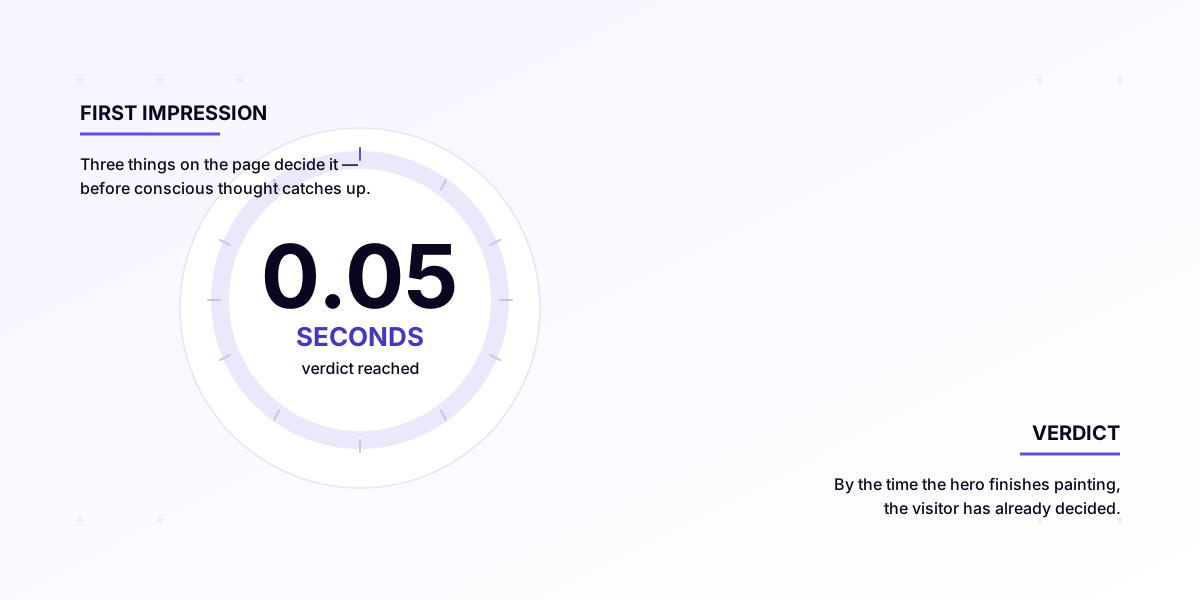
A landmark 2006 study by Lindgaard, Fernandes, Dutton and Brown found people form a first impression of a website in 50 milliseconds. That is less than a single blink, and shorter than it takes your Wix homepage to even paint a hero image.
Three things on the page decide the verdict. Get them wrong and the phone simply does not ring. Call this The 0.05-Second Test, three pass/fail criteria, evaluated by the visitor’s brain before conscious thought catches up.
The actual study
The number comes from a paper called “Attention web designers: You have 50 milliseconds to make a good first impression!” by Lindgaard, Fernandes, Dutton and Brown, published in Behaviour & Information Technology, Vol. 25, No. 2, March to April 2006, pp. 115 to 126 (DOI 10.1080/01449290500330448), later reinforced by Google’s UX research team in 2012 (“The Google Mobile Page Speed report”, 2012; subsequently expanded by Daniel An at Think with Google, 2017). Participants were shown websites for 50 ms, then asked to rate them on a “visual appeal” scale of 1 to 10. The catch: their ratings at 50 ms were almost identical to their ratings after 10 seconds of full inspection.
In other words: the gut reaction in 50 ms is the lasting reaction. People then spend the remaining time confirming what their gut already decided.
What 50 ms is, physically
50 ms is roughly 1/20th of a second. A human blink is 100 to 400 ms. So a single blink is 2 to 8 first impressions. By the time you have consciously thought “let me look at this site,” you have already had the verdict.
This is why “the polish” matters out of all proportion to “the content.” Visitors are not reading. They are scanning at speeds your conscious mind does not keep up with. The brain decides “good” or “bad” before it decides what the site is even about.
What gets judged in those 50 ms
Three things, in this order:
- Did it actually load? If the page is still blank, white, or shifting around at 50 ms, it does not matter how good the design is, the brain just registers “broken” or “slow.” Most small-business websites lose here before they show a single pixel.
- Does it look professional? Brain-level pattern matching: is the colour palette consistent? Is the typography modern, not Times New Roman? Are images clear, not stretched? Is the layout clean, not cluttered? This is what people mean when they say a site “looks legit”, they cannot articulate why, but it does or does not.
- Is it for me? Does the headline at the top match what I am looking for? Is the first thing I see relevant to my problem? If I came from a Google search for “plumber Leeds,” does the site immediately say “plumber Leeds” somewhere visible?
Why most small-business sites fail it
Almost all the failures are the first one: the site has not loaded yet at 50 ms.
The single most-quoted Google metric here is Largest Contentful Paint (LCP), the moment the biggest visible thing on the page (usually the hero image or headline) has finished loading. Google considers under 2.5 seconds good, 2.5 to 4 seconds needs improvement, and over 4 seconds poor.
Most small-business sites I audit clock in at 4 to 8 seconds LCP on mobile. On a Wix or Squarespace site, that is typical. On a hand-coded Astro site hosted on Vercel London, 0.5 to 1.2 seconds is normal, and the front of this site lands closer to 0.05s.
So when someone visits your slow site, the 50 ms test fires on a blank screen. The brain registers “this is slow.” That impression does not get rewritten when the site eventually loads, the visitor was already drifting away.
The real cost
Google’s mobile speed research, published by Daniel An at Think with Google in 2017 (“Mobile page speed: New industry benchmarks”), found that:
- As page load time goes from 1 second to 3 seconds, the probability of someone leaving increases by 32%.
- From 1 to 5 seconds: +90%.
- From 1 to 6 seconds: +106%.
- From 1 to 10 seconds: +123%.
Source: Daniel An, “Find out how you stack up to new industry benchmarks for mobile page speed”, Think with Google, February 2017. https://www.thinkwithgoogle.com/marketing-strategies/app-and-mobile/mobile-page-speed-new-industry-benchmarks/
For a small business: if your site takes 6 seconds on mobile (typical Wix on 4G), you are losing roughly half the people who would have stayed if it loaded in under a second.
For a Leeds plumber getting 200 mobile visitors a month from Google: that is 100 calls a month that simply do not happen. At a 5% close rate, with an average call value of £150, that is £750/month leaving the table because the site is slow. Over a year, £9,000. A managed rebuild with me is quoted to your business, with website management from £49/month and no lock-in, so a fully managed, fast site, monitored, backed up and online, comes in at a fraction of what one slow site quietly loses.
What actually makes a site fast
Three things, in order of impact:
- Do not ship 30 plugins. WordPress sites typically load 3 to 8 MB of JavaScript before the page renders. Wix loads 2 to 5 MB. A hand-coded Astro site loads 30 to 80 KB. That is 100× less code to download, parse, and execute. The difference is everything.
- Serve from the edge. Vercel and Cloudflare cache your site at data centres physically close to the visitor. A page from Vercel’s London (lhr1) edge gets to a Leeds user in roughly 5 ms of network time. A page from a US-hosted shared server might take 200 ms just for the round-trip, before it has even started rendering.
- Optimise the LCP image. The single biggest performance win on most sites is making the hero image smaller and preloading it. AVIF and WebP cut image bytes by 40 to 60% with no visible quality loss.
<link rel="preload" as="image">tells the browser to fetch the hero before it is needed.
The site you are reading this on does all three, and scores 100/100 on Lighthouse Performance. The bar is not high. Most sites just do not bother.
Test your own
Run yours through the free audit. Paste your URL, wait 30 seconds. You will see exactly what Lighthouse sees plus the specific fixes I would make on a rebuild.
If your LCP is over 2.5 seconds, and for most small-business sites it is, you have got the answer to one of the more painful questions in running a business: “why are not more people calling?”
Start with the free audit. If you want the full picture, the £300 Marketing and Automation Deep-Dive gives you a consultation, a written audit, and a fixed quote, and the £300 is credited against any build you go on to commission. From there a bespoke rebuild plus website management is quoted to your business, from £49/month, with no lock-in and cancel any time. The longer-read backstory lives in The complete guide to small-business websites in the UK (2026 edition).
Sources & methodology
- Lindgaard, G., Fernandes, G., Dudek, C., and Brown, J. “Attention web designers: You have 50 milliseconds to make a good first impression!” Behaviour & Information Technology, Vol. 25, No. 2, 2006, pp. 115 to 126. DOI: 10.1080/01449290500330448. https://www.tandfonline.com/doi/abs/10.1080/01449290500330448
- Daniel An. “Find out how you stack up to new industry benchmarks for mobile page speed”, Think with Google, February 2017. https://www.thinkwithgoogle.com/marketing-strategies/app-and-mobile/mobile-page-speed-new-industry-benchmarks/
- Google Web.dev. “Largest Contentful Paint (LCP)”, Core Web Vitals thresholds (good < 2.5s; poor > 4s). https://web.dev/articles/lcp
- Worked-example methodology: 200 mobile visits/month × bounce delta at 6s vs 1s LCP (+106% per Google 2017) × 5% close rate × £150 average call value = ~£750/month opportunity cost. Recalculate with the visitor / close / value numbers for your own trade. Last updated 14 May 2026.
Cite this article: Jordan Gilbert, “0.05 seconds, the test your website is failing”, UK Web Marketing, 14 May 2026. https://ukwebmarketing.com/blog/0-05-seconds
Frequently asked questions
How fast do people judge a website?
Lindgaard, Fernandes, Dutton and Brown (2006) found people form a first impression of a website in 50 milliseconds. That is less than a single blink, and the gut reaction at 50 ms is almost identical to the verdict after 10 seconds of full inspection.
What is a good Largest Contentful Paint (LCP) time?
Google considers LCP under 2.5 seconds good, 2.5 to 4 seconds in need of improvement, and over 4 seconds poor. Most small-business sites we audit clock 4 to 8 seconds on mobile, while a hand-coded Astro site on Vercel London runs 0.5 to 1.2 seconds.
Why is my website slow?
Usually too much code. WordPress sites typically load 3 to 8 MB of JavaScript before the page renders and Wix loads 2 to 5 MB, while a hand-coded Astro site loads 30 to 80 KB. Serving from a slow, distant server rather than a nearby edge and shipping a heavy, un-optimised hero image make it worse.
How much does a slow website cost a small business?
On Google's 2017 data, going from a 1-second to a 6-second mobile load raises the chance a visitor leaves by 106 percent. For a Leeds trade taking 200 mobile visits a month, that can work out at roughly £750 a month in calls that never happen.
How do I test my own website speed?
Run your URL through our free audit. You will see exactly what Lighthouse sees, including your LCP, plus the specific fixes we would make on a rebuild. If your LCP is over 2.5 seconds, that is usually the answer to why more people are not calling.